
Why Webflow Works for SaaS Marketing Sites
Why Webflow fits SaaS marketing teams: publishing velocity, performance on paid traffic, and a site marketers can run without engineering. With the honest limits.
Use AI to summarize this article
Key takeaways
- Webflow is a strong fit for SaaS marketing websites because it helps marketing teams move faster without relying on engineering for every page update.
- It works well for landing pages, campaign pages, product pages, CMS content, and fast iteration across the public website.
- The biggest benefits are publishing speed, cleaner team ownership, strong performance, managed hosting, security, and fewer maintenance headaches.
- The main limits are deep app-like functionality, very large content archives, and membership or gated-account systems that need third-party tools.
- For most growing SaaS companies, Webflow works best as the public marketing site, while the actual product stays in a custom app.
What a SaaS marketing site actually needs
A SaaS marketing site is not a brochure. It is where you launch features, run experiments, publish content, capture demand, and convert paid traffic. That puts three demands on the platform above all others: the team must be able to change things fast, the site must perform under acquisition spend, and it must not pull engineering time away from the product. Hold those three in mind, because they are exactly where Webflow earns its place, and where its limits show up.
Publishing velocity: shipping without a dev sprint
SaaS marketing moves at the speed of experiments. New landing page for a campaign, a pricing-page test, a feature announcement, a fresh comparison page, these should take hours, not a sprint.
On a dev-gated stack, each of those is a ticket that competes with product work in the engineering backlog, and marketing waits. On Webflow, a marketer builds and ships the page directly. The bottleneck disappears. For a growth team whose results depend on how many experiments they can run, that velocity is not a convenience, it is a competitive advantage. The team that can ship twelve landing pages a month outlearns the team that ships one.
Performance on paid traffic
SaaS companies spend heavily to acquire traffic, and site speed decides how much of that spend converts. Slow pages waste ad budget at the door.
Webflow's clean code and CDN hosting mean strong performance by default, which directly protects conversion. The stakes are quantified: Google's "Milliseconds Make Millions" research (run by Deloitte) found that a mere 0.1-second improvement in mobile load time lifted retail conversion rates by 8.4% and travel by 10.1%. When you are paying per click, a faster site is not a technical nicety, it is a higher return on every acquisition dollar. (For the full performance picture, see our Core Web Vitals section in the Webflow SEO guide.)
Marketing autonomy: ending the dev-ticket bottleneck
This is the deeper version of the velocity point, and it is the one SaaS marketing leaders feel most.
When the marketing site requires a developer for routine changes, two teams lose. Marketing loses speed and control over their own channel. Engineering loses focus, pulled off product work to change copy or build a landing page. A site built on Webflow, with a clean component system and a trained marketing team, splits the ownership cleanly: marketers own the marketing site and run it themselves, engineers own the product. The website stops being a point of friction between the two.
Industry research backs how widespread the content-tooling constraint is: in a 2024 Hygraph survey of 400 technology leaders, 84% said their content management setup keeps the organization from unlocking the full value of its content, and a majority said it prevents them from bringing new services to market quickly. The platform that removes that constraint pays for itself in marketing speed.
Scaling content
A growing SaaS company accumulates content: a blog, a resource library, case studies, comparison pages, help content. Webflow's CMS handles this well when architected properly. The Premium plan includes 20,000 CMS items and 40 Collections, which comfortably covers the content operation of the large majority of mid-market SaaS companies, and binding SEO fields to Collections keeps that library SEO-healthy at scale.
This is also where the anti-replatform point lands: a well-architected Webflow CMS grows with you, so the site you build now is one you iterate on rather than one you outgrow and replace in two years.
The honest limits
Webflow is the right tool for the SaaS marketing site. It is not the right tool for everything, and pretending otherwise would not serve you.
- Deep in-app or product functionality belongs in your application, not your marketing site platform. Webflow is for the marketing layer.
- Very large content archives (tens of thousands of items) approach the CMS ceilings and may need a different approach or a higher tier.
- Membership, gated accounts, and course/LMS functionality: Webflow retired its native User Accounts and Memberships feature in early 2026 (the feature sunset on January 29, 2026), so membership and gated-content use cases now require a third-party tool such as Memberstack, which adds cost and complexity. If gated accounts are central to your site, factor this in.
- Complex e-commerce beyond straightforward selling is better served elsewhere.
For most SaaS companies, none of these touch the public marketing site, which is exactly what Webflow is for. But if your project lives in one of these areas, scope it honestly up front. If you are weighing platforms, see how Webflow compares to WordPress.
GroundswellFAQ

Stefan Velikov is the founder of Agota Studio, a Webflow Premium Partner. He has helped 30+ teams across SaaS, fintech and B2B build Webflow sites their marketing teams can run and scale.
Let’s talk about what your website needs
Book a call with Stefan to talk through your project, explore what your website needs, and see how Agota Studio can help.
Custom Webflow sites we built to scale with the marketing team
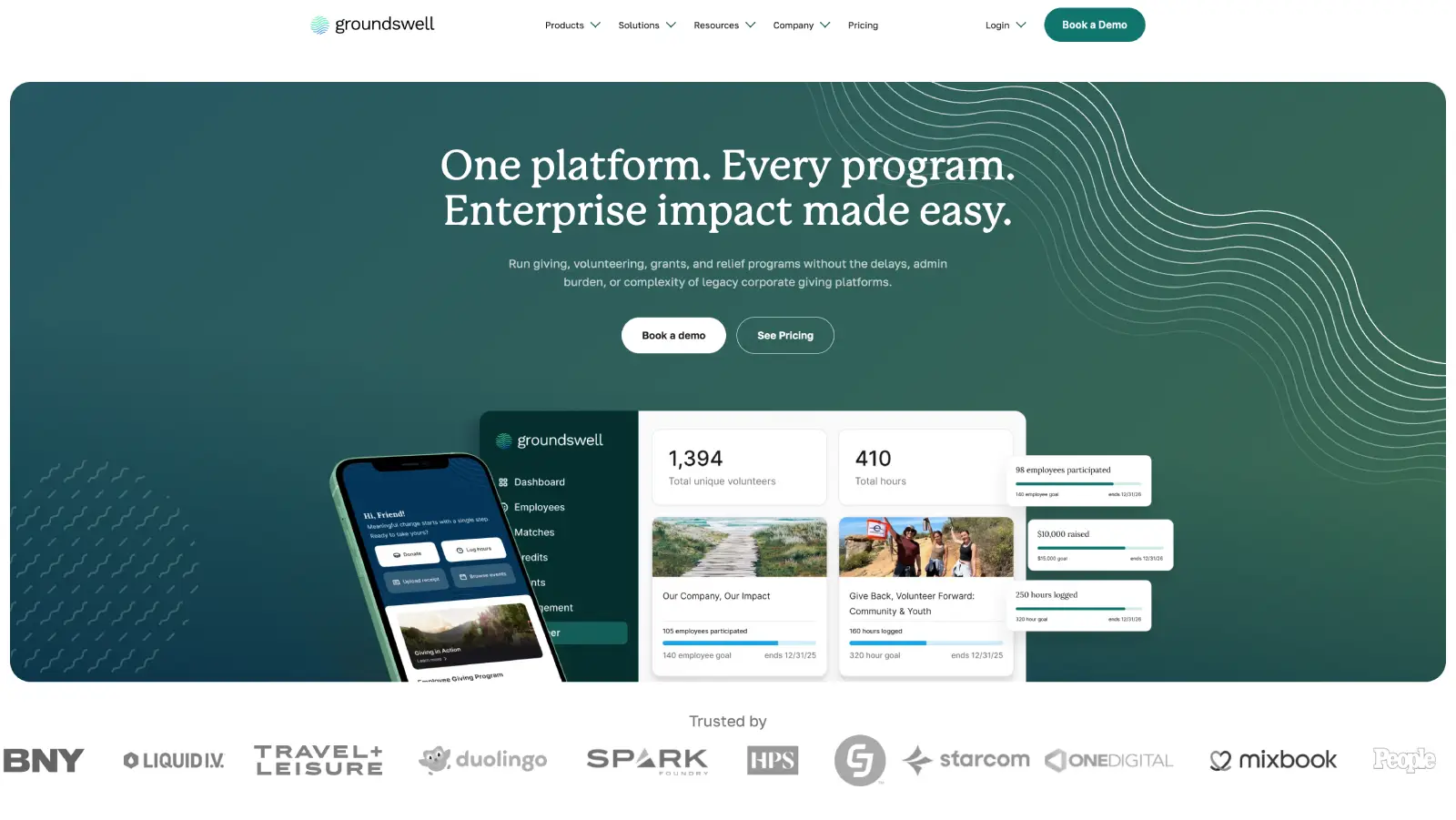
Groundswell: A rebuild the marketing team runs solo
What we achieved:
Marketing team now publishes 90% of pages without developer involvement.
Modular component library that scales as new campaigns launch.
Ongoing Webflow partnership.
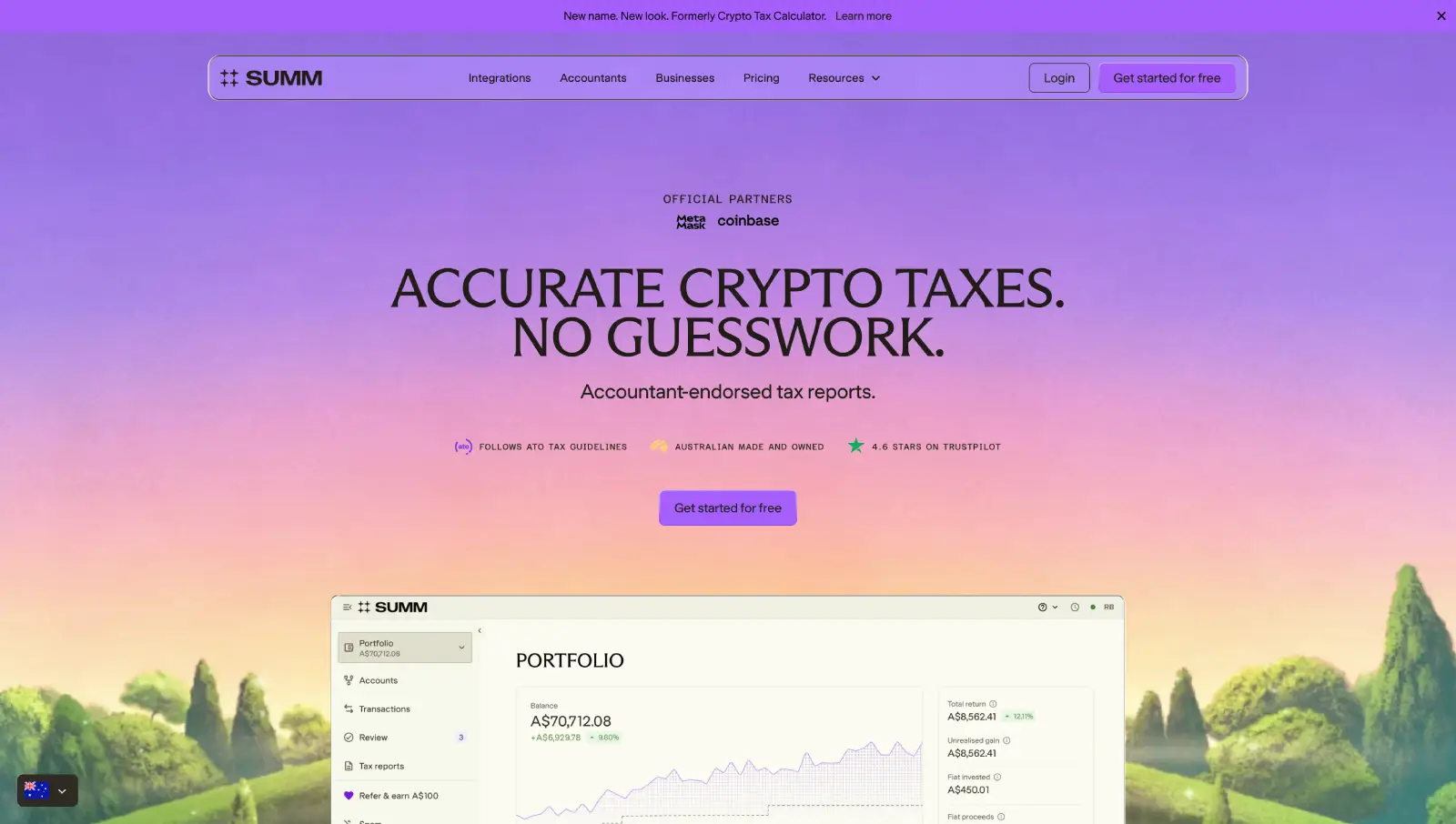
Building Australia's Top Crypto Tax Website
What we achieved:
Rebuilt the site for 25+ locales on a modular Webflow system.
Developed reusable page systems to accelerate new launches.
Partnered long-term to evolve the website alongside company growth.
Question
Text