
Webflow Pricing in 2026: What It Actually Costs
Understand Webflow pricing in 2026, including Site plans, Workspaces, seats, add-ons, and the real cost of running a marketing website.
Use AI to summarize this article
Key takeaways
- Webflow pricing in 2026 is mainly split into two parts: the Site plan for publishing the website, and the Workspace plan for the team building and managing it.
- For most marketing websites, the main plan is now Premium, which costs $25/month annually or $39/month monthly and includes hosting, security, SSL, CDN, and a much higher CMS limit.
- The Basic plan is still available for simple static websites that do not need a blog, CMS, or dynamic content.
- Most companies should expect to pay for the Premium Site plan, plus a Workspace plan and any extra seats their team needs.
- The biggest 2026 change is that CMS and Business were merged into Premium, making the pricing simpler and removing the old CMS item add-ons.
How Webflow pricing works (the part everyone finds confusing)
Webflow bills in two layers, and conflating them is the single most common source of confusion.
Site plans are per website. They cover publishing one site to a custom domain, including hosting, the CDN, SSL, and your CMS allowance. If you publish three separate sites, you pay three Site plans.
Workspace plans are for your team and your building environment. They cover seats, collaboration, and how many unpublished/staging projects you can have. A Workspace does not publish a site on its own; you still add a Site plan to each site you want live.
The two are billed separately and work together. You build inside a Workspace, then attach a paid Site plan to each site you launch. Hold that distinction and the rest of the pricing is straightforward.
Site plans in 2026 (after the May change)
On May 13, 2026, Webflow simplified its Site plan lineup. The old CMS and Business plans were merged into a single new Premium plan, and CMS item add-ons were removed because the higher limit is now built in. Here is the current paid structure for standard (non-ecommerce) sites.
Starter (free). Build and preview on a webflow.io staging URL. No custom domain. Good for learning and prototyping, not for a live business site.
Basic, 15 dollars per month billed annually (25 dollars monthly). A custom domain and Webflow hosting, with 300 static pages, but no CMS. That means no blog and no dynamic content. Suitable only for a static site with no content operation. If a blog or resource library is in scope now or within six months, skip Basic and start on Premium.
Premium, 25 dollars per month billed annually (39 dollars monthly). The default for a content-driven marketing site. Includes 20,000 CMS items, 40 CMS Collections, 50GB of bandwidth (with add-ons available), code components, site search, and form file uploads. This single plan replaced both the old CMS plan and the old Business plan, at a lower entry price than the old Business tier, which is the standout value change of 2026.
Enterprise (custom pricing). For organizations needing advanced security, guarantees, higher limits, and a dedicated relationship. Quoted, not self-serve.
Tip: For most mid-market marketing sites, Premium is the right Site plan and Basic is a false economy. The moment you want a blog, a resources section, case studies, or any dynamic content, you need the CMS, and that means Premium. Starting on Basic and migrating up later is more hassle than starting correctly.
Workspace plans (when and why you need one)
Workspace plans cover your team and building environment, billed separately from Site plans. Webflow runs two tracks: one for in-house teams and one for freelancers and agencies.
For a single in-house marketing team, the practical picture is: a free Starter Workspace gets you going, and paid Workspace tiers add seats, user roles, and collaboration controls as the team grows. If only one or two people touch the site, your Workspace cost may be minimal. If you have multiple editors, designers, and reviewers, the Workspace and seat costs become a real line item.
Seats themselves are tiered: full seats (for people who design and build), limited seats (for lighter contributors), and free seats (for reviewers who only comment). The takeaway: count who actually needs to build versus who only needs to review, because reviewer access does not have to cost you a full seat.
What is actually included (and what is not)
A big part of Webflow's value is what you do not pay for separately. The Site plan bundles:
- Managed hosting on AWS infrastructure
- A global CDN
- Automatic SSL
- Built-in security and backups
- Your CMS allowance (20,000 items on Premium)
There are no separate hosting bills, no plugin license fees, and no security add-ons to buy for a standard marketing site. That is the core difference from a self-managed stack, where hosting, security tooling, and key plugins are all separate recurring costs.
What can cost extra: bandwidth beyond your plan's allowance (add-ons available), ecommerce (a separate plan track not covered by the 2026 Site-plan simplification), and Webflow's optional product add-ons (such as its optimization and localization products), which are usage-priced and stack on top. For a straightforward marketing site, you usually will not need these on day one.
Watch out: The cheapest-looking entry point (Basic, or a free Workspace) is not always the real cost. Price the plan you will actually need in twelve months, with the CMS, the seats, and the bandwidth your real usage requires, not the minimum to publish a single static page today.
Webflow vs WordPress on total cost
The honest comparison is total cost of ownership, not sticker price.
Webflow's cost is predictable and close to all-in: the Premium Site plan plus a Workspace, with hosting, CDN, SSL, and security included. You are unlikely to get surprise bills for a standard marketing site.
WordPress software is free, but a running WordPress site is not. The real annual cost stacks hosting, premium themes and plugins, and maintenance. Managed WordPress hosting commonly runs from the low tens of dollars per month into the hundreds at higher traffic, premium plugins and themes carry recurring license fees, and a maintenance retainer for updates, security, and backups commonly runs from roughly 100 to 500 dollars per month. Industry breakdowns put a properly maintained WordPress business site well into four figures per year beyond the initial build.
So WordPress can be cheaper at the very low end (a simple site, cheap hosting, free plugins) but for a mid-market marketing site that has to stay fast, secure, and frequently updated, Webflow's all-in number is often competitive once the hosting, plugins, and maintenance that WordPress's sticker price hides are counted. (For the full platform comparison, see our Webflow vs WordPress article.)
The cost of building or migrating onto Webflow
The Site plan is the running cost. The other cost is the build itself, and that varies far more.
A simple site can be built in-house on Webflow with only the subscription cost. A professional design and build, or a migration from another platform, is a project cost on top of the subscription. Migration and rebuild project costs depend heavily on page count, CMS complexity, and whether you redesign at the same time. (We break the migration numbers down in detail in our WordPress to Webflow migration cost guide.)
The thing to budget for is both: the one-time build or migration, and the ongoing Site plus Workspace subscription. Most teams underestimate the build and overestimate the subscription. In reality the subscription is the smaller, predictable part. Before you price anything, it helps to know whether you need a redesign, a replatform, or a rebuild.
The Site-plan comparison table
Is Webflow worth it for a marketing site?
For a marketing-led team, the value is not really in the subscription number, it is in what the subscription removes: no hosting to manage, no plugins to patch, no security monitoring, and no developer ticket for routine page changes. The Premium plan's all-in cost is modest relative to the developer time and maintenance overhead it replaces.
Webflow is not the cheapest way to put a page on the internet. It is a competitive, predictable way to run a marketing site that changes often, stays fast, and does not pull engineering time into website upkeep. Whether that is worth it depends on how active your site is. If it is a living marketing asset, the math usually favors Webflow. If it is a static brochure that never changes, cheaper options exist.
GroundswellFAQ's about Webflow's pricing

Stefan Velikov is the founder of Agota Studio, a Webflow Premium Partner. He has helped 30+ teams across SaaS, fintech and B2B build Webflow sites their marketing teams can run and scale.
Let’s talk about what your website needs
Book a call with Stefan to talk through your project, explore what your website needs, and see how Agota Studio can help.
Custom Webflow sites we built to scale with the marketing team
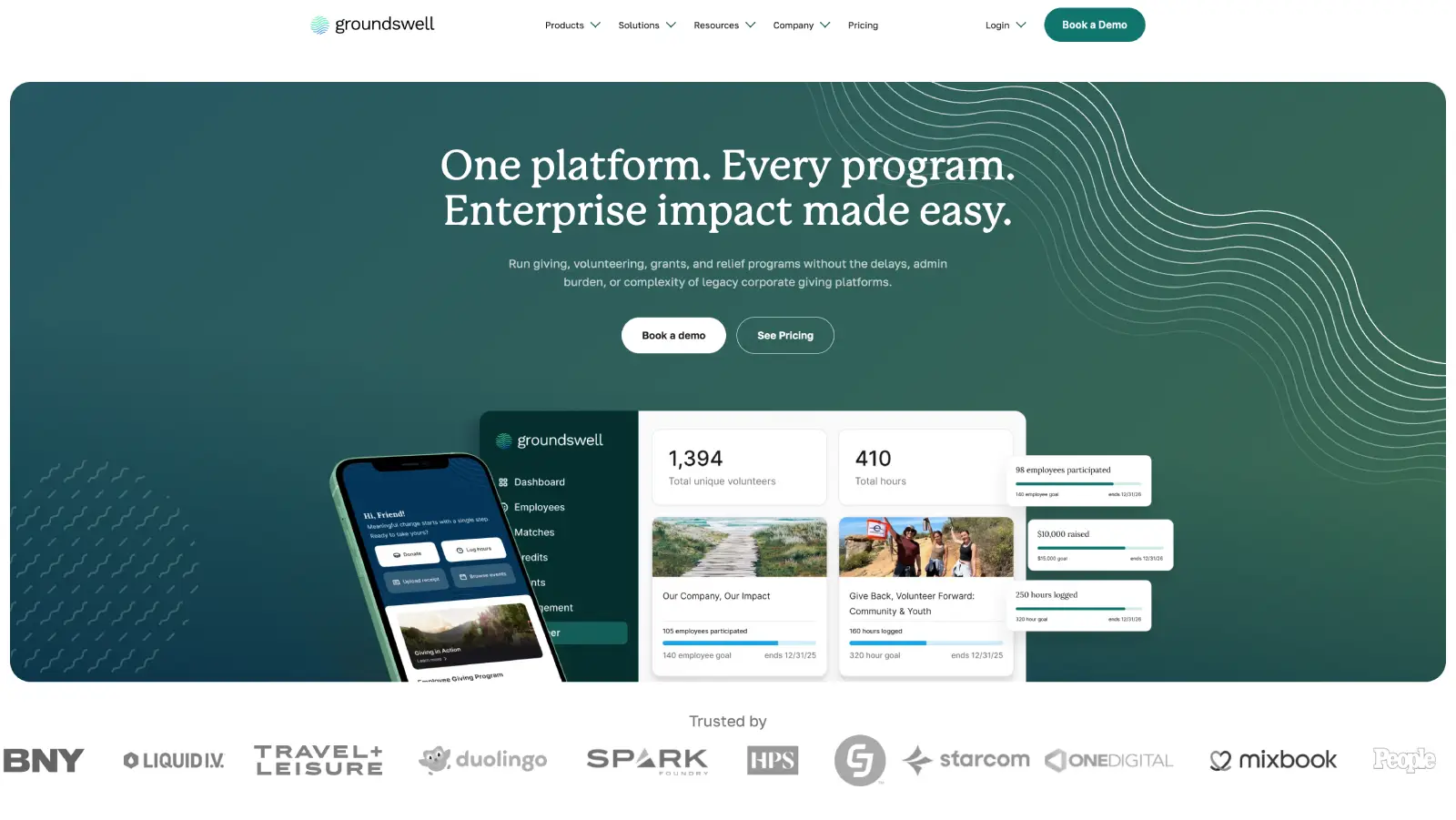
Groundswell: A rebuild the marketing team runs solo
What we achieved:
Marketing team now publishes 90% of pages without developer involvement.
Modular component library that scales as new campaigns launch.
Ongoing Webflow partnership.
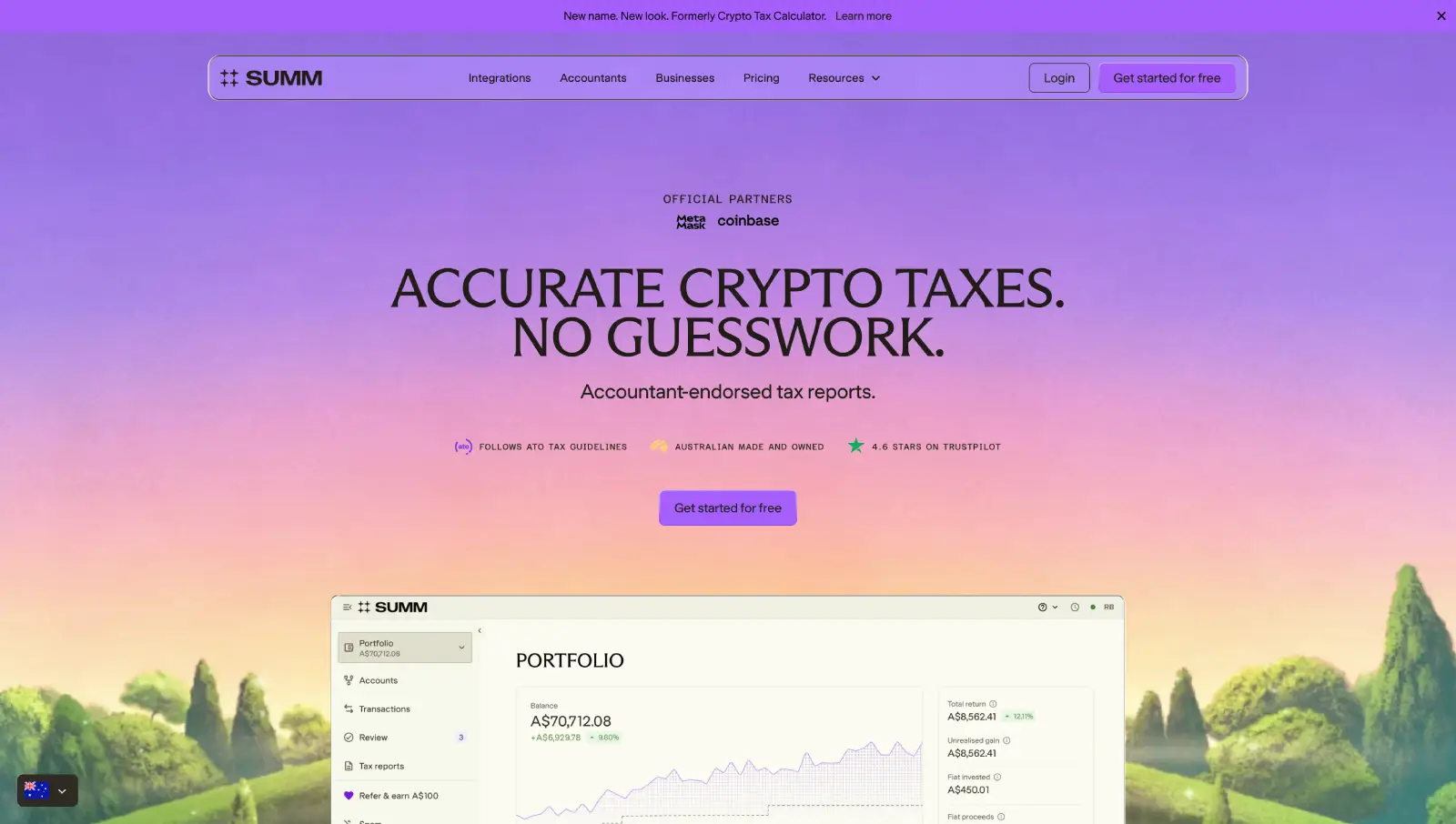
Building Australia's Top Crypto Tax Website
What we achieved:
Rebuilt the site for 25+ locales on a modular Webflow system.
Developed reusable page systems to accelerate new launches.
Partnered long-term to evolve the website alongside company growth.
Question
Text